Printer fleet monitoring and MPS platform for devices of every brand.

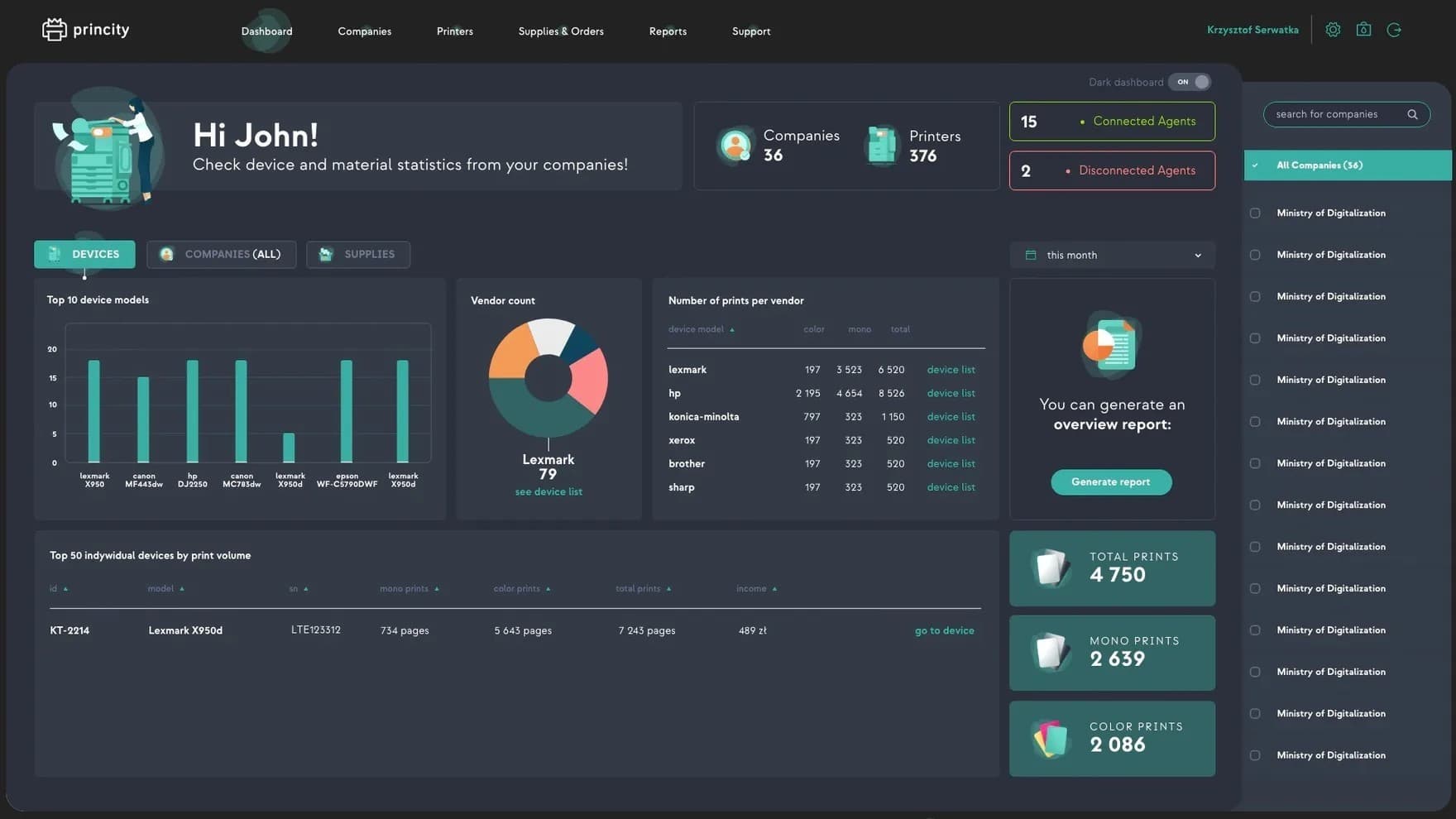
Supplies, failures, billing and integration in one platform, for MPS providers, dealers and their customers.
See the four modules ↓
Image
Paper jam detectedService alert sent to technician
Pages today48,210236 printers online
Toner levels · Color MFP, floor 3
C72%M45%Y12%K64%
Order created automaticallyYellow toner at 12%, delivery scheduled

Princity in numbers

300k+

printers monitored in real time

each dot is 1,000 printers

1000+

customers

72

countries

in development since

2016

179 releases since 2018

ISO27001

certified, fully GDPR compliant

Four modules in every plan

Every plan includes all four modules, whatever the fleet size.

C01Supply management

Monitoring of every consumable.

A closed loop. From the moment a low level is detected to the replacement with a new consumable. A new order is created only once the previous consumable has been correctly replaced in the device.

A closed loop in seven stepsNo new order until the replacement is verified at the device.After verification the loop returns to monitoring
  1. 01 MonitorYellow toner: 12%
    CMYK
  2. 02 Forecast~6 daysuntil empty
  3. 03 AlertLow toneremailAPI
  4. 04 OrderCreated automatically1 × yellow toner
  5. 05 ShipLabel readyLabelCourierCustomer
  6. 06 InstallReplaced on siteY100%color MFP, floor 3
  7. 07 VerifySerial number matchesA7X-2291=A7X-2291genuine supply

Genuine supplies protection

  • Serial number of every consumable, from delivery to replacement
  • Model compatibility checked against the printer
  • Remanufactured or unauthorized substitutes flagged
  • Reinstallation in another device detected

Consumption analytics

  • Early detection of overconsumption and its causes
  • Print coverage analysis by department and device
  • Reports usable for claims to suppliers
M02Failure detection and service

Every fault detected, classified, resolved and documented.

A fault reaches the system in three ways, and one service process takes it from there.

  • Automatic detection of errors and jams
  • Unresponsive device: alert after a delay you set
  • Manual report from the app or printer panel, with photos

Notifications at every step: custom email templates per alarm type, plus API.

Example ticketCriticalIn progress
Ticket #2481

Paper jam

Color MFP, floor 3
Critical, SLA 4 hSeverity set automatically by your thresholds.
Ticket history
  1. 09:12Critical, SLA 4 h
  2. 09:13AI suggestion
  3. 09:20Technician assigned
  4. 10:41Report signed
  5. 10:45Closed
Y03Billing

From raw counters to invoice-ready reports.

A billing model for every client, without retyping counters.

Counters from devices

12,480Mono
3,120Color
410A3
920Scans

Collected automatically: mono and color pages, a4 and A3 formats, duplex prints, scans, consumables delivered

Configured per client

Price per mono and color pagePrice per scanVolume price tiersIndividual rates per model or deviceA3 counted as two A4 pagesCoverage surcharge above a thresholdFree page packagesBilling period per client

Delivered on schedule

Invoice-ready report
Client: accounting office, March
Mono pages12,480 × €0.01€124.80
Color pages3,120 × €0.06€187.20
Scans920 × €0.002€1.84
Coverage surcharge above 20%640 × €0.02€12.80
Free page package−500 × €0.01−€5.00
Total to invoice€321.64
CSV and XLSX exportScheduled email deliveryCost analysis by company, site, device, userData for ERP and accounting via API

Example. You set prices and rules for each client.

K04Integration and deployment

From any printer to your business systems, in four layers.

01

Devices

  • Printers and MFPs of all manufacturers
  • Networked (LAN) and local (USB)
  • SNMP, NPAP, HTTP(S), LEDM, PJL, PML
02

Data collection

  • Network agent
  • USB agent
  • SMTP (email) agent
  • Agent embedded in the printer
03

Princity platform

CMYK
  • Supplies, failures, billing, integration
  • Knowledge base per model, with AI
  • Cloud or on-premises, HTTPS, ISO 27001
04

Delivery

  • Web dashboard
  • Email and API notifications
  • Scheduled CSV and XLSX reports
  • API for ERP, CRM and accounting
ERPCRMAccountingIT monitoring

Free API (WebService). Email notifications, reports in CSV and XLSX.New model: support added within 8 working hours

Princity Agent

An agent that collects data from every printer

Four kinds of agent, matched to how the printer is connected.

Network agent

Windows, macOS, Linux/UnixInstalled on a computer in the customer's network, collects data from networked printers, also behind proxies.

USB agent

local printersFor printers connected directly to a computer over USB.

SMTP agent

emailReceives the data printers send by email, with nothing installed in the network.

Embedded agent

in firmwareRuns in the printer's firmware, so the device reports to Princity without a separate installation.
Deployment

Four ways to run Princity

Choose per market or per customer. Models can be combined.

A

Princity cloud

Princity cloud
self-registration
CustomerCustomerCustomer

Customers register in the Princity cloud and start right away. No infrastructure on your side.

Princity runsin the Princity cloud
B

Distributor clouds

Vendor
Distributor cloudDistributor cloud
CustomersCustomers

You give the platform to your distributors. Each runs its own Princity cloud and connects its customers.

Princity runsat each distributor
C

Central vendor cloud

Your central cloud
DealerDealerDealer
Their customers

You run one central Princity cloud for your whole network: distributors, dealers and their customers.

Princity runsin your cloud
D

On-premises

Customer's own infrastructure
Princity on-premises
PrinterPrinterPrinter

Princity installed on the end customer's own infrastructure, for full control over data and security.

Princity runsat the customer site

Security at every layer

Fleet and device data protected layer by layer.

  1. 1

    ISO 27001

    Certified for secure information processing.

  2. 2

    GDPR

    Using Princity is fully compliant with GDPR.

  3. 3

    Deployment control

    Cloud or on-premises, aligned with each company's security policy.

  4. 4

    HTTPS encryption

    All connections, logins, integrations and report delivery encrypted.

  5. 5

    Role-based access

    Administrator, manager, user and custom roles, with access per module.

Key features

Grouped by the four modules.

C

Supply management

  • Image
    Consumables Monitoring
  • Image
    Consumables Usage Forecasting
  • Image
    Low toner and ink level notifications
  • Image
    Full order process handling
  • Image
    Order basket
  • Image
    Compatibility Verification
  • Image
    Early Overconsumption Detection
  • Image
    Consumable Serial Number Tracking
M

Failure detection

  • Image
    Automatic Error & Failure Detection
  • Image
    Repair Document Generation & Ticket Attachments
  • Image
    Error Classification by Severity
  • Image
    Knowledge Base per Model & AI Learning
  • Image
    Manual Failure Reporting
  • Image
    Full Service Process Management
  • Image
    Email Notifications
  • Image
    Notifications for Unresponsive Devices
Y

Billing

  • Image
    Flexible Billing Methods
  • Image
    Support for various printing formats and types
  • Image
    Setting price thresholds
  • Image
    Individual cost allocation
  • Image
    Conversion of format to A4
  • Image
    Individual configurations
  • Image
    Reports
  • Image
    Cost analysis
K

Integration and customization

  • Image
    Cloud or local installation
  • Image
    Compatibility with operating systems
  • Image
    API sharing
  • Image
    Encrypted communication
  • Image
    Ability to define roles
  • Image
    Report customization
  • Image
    Handling of network and local devices
  • Image
    Support for new device models
  • Image
    Communication based on protocols
  • Image
    Ability to assign devices to facilities and companies
  • Image
    Assigning devices based on IP addresses
  • Image
    Placement of devices on facility maps